Add staff and roles
Assign employees to kitchen, service, cashier, delivery or counter roles and locations.

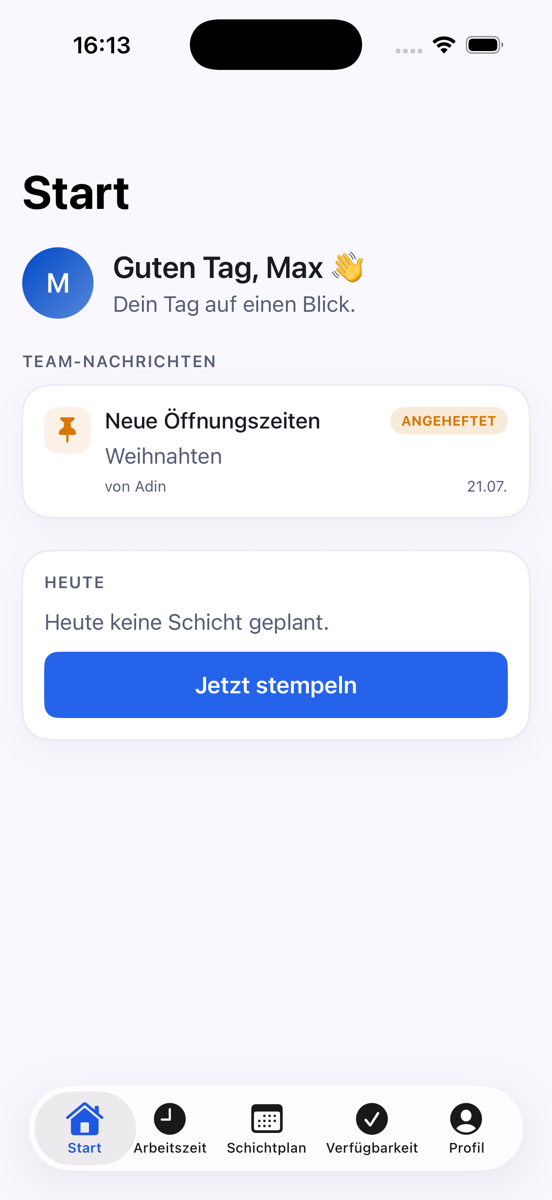
Plan weekly shifts by location, consider availability and prevent overlapping assignments. Employees view schedules and submit swap requests in the app.
Assign employees to kitchen, service, cashier, delivery or counter roles and locations.
Build the weekly rota, spot overlaps and use employee availability.
Employees see shifts in the app and can submit swap requests.
See shifts, hours and roles in one shared schedule.
Collect employee availability before planning the week.
Schedule each location separately while keeping one business view.
Keep shift changes traceable and approved by management.
Place staff into days, edit times and publish only when ready.
Store roles, employment types and weekly hours.
Set required headcount and spot uncovered shifts.
See overlaps, absences, location conflicts and excess hours.
Manage vacation, sickness and days off.
Review and approve traceable swap requests.
Use home locations, managers and cross-location staff.
Compare planned, worked and overtime hours.
Send pinned updates to all staff or selected locations.
Invite the team once. Staff then use the Olbrio app for schedules, requests and updates.
The module is billed once per business rather than increasing with every employee account.
It combines employees, shifts, roles and locations in one schedule. Managers plan centrally while staff view current shifts on their phones.
Add employees and roles, set each shift's start and end time, then publish the weekly schedule.
Yes. Availability can be collected before managers build the next rota.
Overlapping times are visible during planning so employees are not assigned to two shifts at once.
Yes. Teams and shifts can be organized by location while owners retain an overall view.
Publish your menu automatically on restaurant TV screens.
QR menuUse the free digital menu as one shared foundation.
Table orderingSend orders to kitchen, bar and receipt printers.
AI call agentTake phone orders automatically from your approved menu.
Staff planningManage schedules, availability and the employee app.
Social mediaTurn dishes into finished posts, formats and captions.
Receipt boxSort receipts by location and prepare bookkeeping.
Purchasing & suppliersPrepare supplier orders from products and ingredients.
Campaign menusBuild limited-time offers from your central menu.
Add your team and test restaurant scheduling in daily operations.
Try staff scheduling