Scan or upload
Use a phone photo, image or PDF.

Photograph a receipt or upload JPG, PNG and PDF. OCR reads vendor, date, total and VAT, then prepares the entry for review and export.
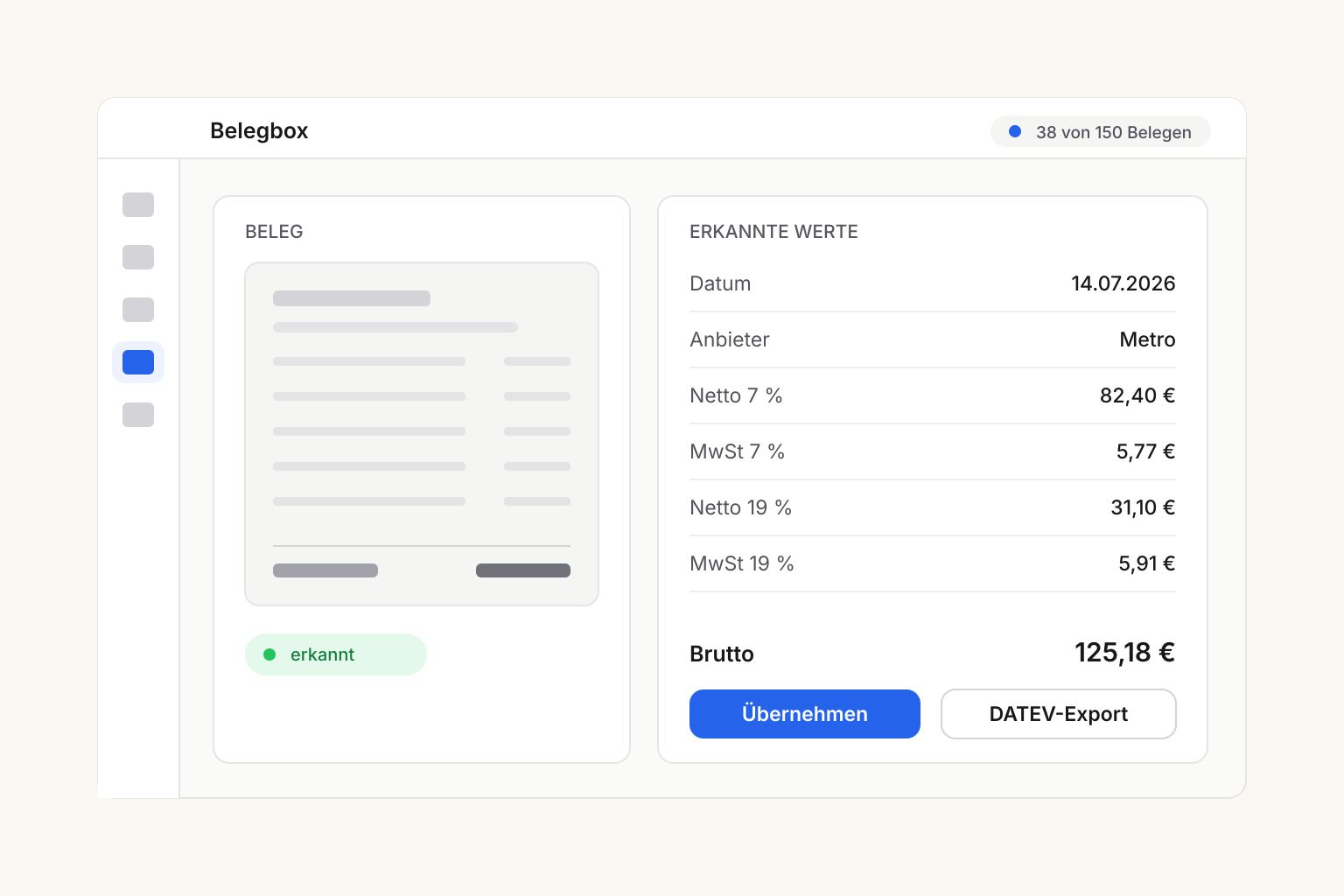
Use a phone photo, image or PDF.
Check vendor, date, total, line items and VAT.
Filter a period and export CSV or DATEV data.
Photograph receipts directly after a purchase.
Create an editable draft from receipt data.
Search income and expenses by date, category and status.
Export CSV or a DATEV batch with Pro.
Upload JPG, PNG and PDF up to 10 MB.
Extract vendor, date, total, items and category.
Structure 7%, 19% and tax-free values.
Create income and expenses without an image.
Generate regular expenses as drafts.
Filter dates, types, categories, sources and status.
Correct OCR data and track status.
Download lists for spreadsheets and accountants.
Prepare imports for DATEV-compatible workflows.
For smaller businesses that need OCR, organization and CSV.
For higher volumes and accountant exports.
It stores receipt images and bookkeeping data in one organized place.
Vendor, date, total, VAT, line items and a suggested category.
JPG, PNG and PDF up to 10 MB.
Yes. Photograph and upload receipts while on the go.
Yes. Income and expenses can be entered without an image.
Publish your menu automatically on restaurant TV screens.
QR menuUse the free digital menu as one shared foundation.
Table orderingSend orders to kitchen, bar and receipt printers.
AI call agentTake phone orders automatically from your approved menu.
Staff planningManage schedules, availability and the employee app.
Social mediaTurn dishes into finished posts, formats and captions.
Receipt boxSort receipts by location and prepare bookkeeping.
Purchasing & suppliersPrepare supplier orders from products and ingredients.
Campaign menusBuild limited-time offers from your central menu.
Choose your plan and organize receipts in one account.
Start Receipt Box